
What Is DANE? — Anchor Certificates in DNS
The Problem: TLS for Email Is “Better Than Nothing”
When a mail server delivers an email, it tries to negotiate an encrypted connection via STARTTLS. If that succeeds, delivery is encrypted. If it fails, the server falls back to plaintext — opportunistic TLS.
The problem: an attacker on the network path can strip the receiver’s STARTTLS advertisement, and the sender delivers in clear. Even when TLS is negotiated, a man-in-the-middle can present a forged certificate — most sending servers don’t validate certificates strictly for SMTP (unlike browsers do for HTTPS).
MTA-STS addresses this partially: it tells senders they must use TLS. But MTA-STS has two weaknesses:
- Trust on First Use (TOFU) — the first fetch of the MTA-STS policy could already be tampered with
- No cert pinning — MTA-STS only verifies that some valid certificate is used, not which one
DANE closes both gaps.
What Is DANE?
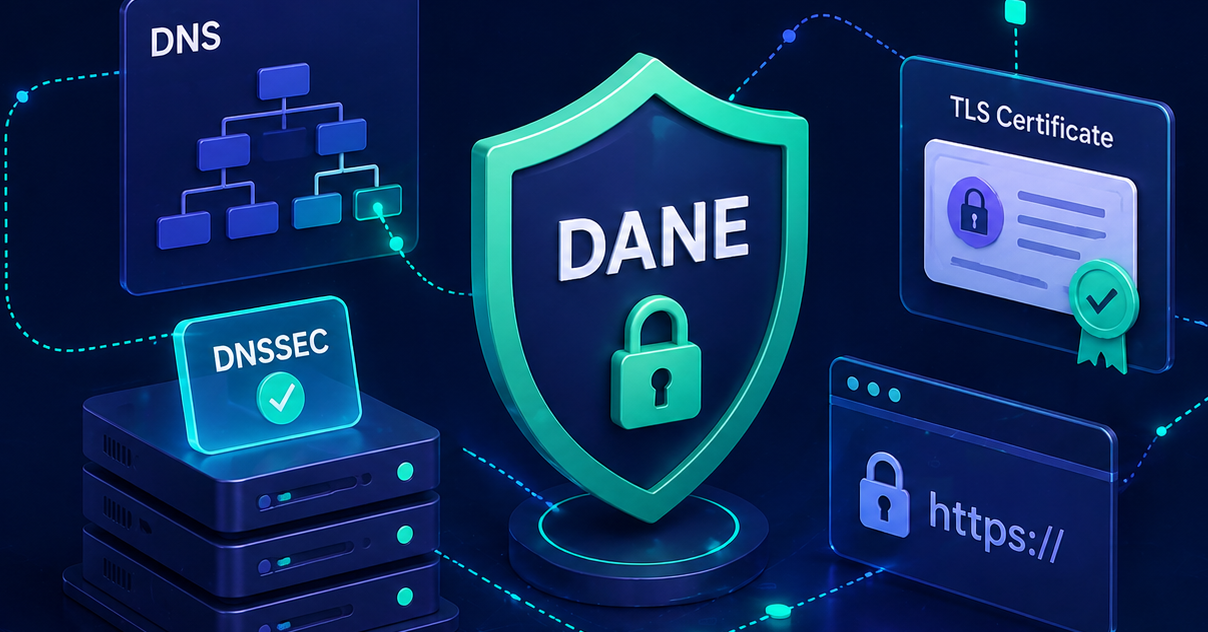
DANE (DNS-based Authentication of Named Entities, defined in RFC 6698 and RFC 7672 for SMTP) lets domain owners publish the exact TLS certificate of their mail server in DNS — secured by DNSSEC. Sending servers check what certificate to expect before the TLS handshake and reject anything else.
In short: MTA-STS says “use TLS”; DANE says “use exactly this TLS certificate.”
DANE strictly requires DNSSEC — without signed DNS responses, an attacker could manipulate the TLSA record itself, defeating the whole protection.
How It Works
DANE introduces a new DNS record type: TLSA. The record sits at a special name that embeds port and protocol into the DNS path:
_25._tcp.mail.yourdomain.com. IN TLSA 3 1 1 a4f3...e1b2Translated: “For TCP port 25 to host mail.yourdomain.com, expect this certificate hash.”
TLSA Record Structure
A TLSA record has four fields:
| Field | Values | Meaning |
|---|---|---|
| Usage | 0-3 | How the certificate joins the trust |
| Selector | 0 or 1 | What gets hashed: full cert (0) or public key (1) |
| Matching Type | 0-2 | Hash function: no hash (0), SHA-256 (1), SHA-512 (2) |
| Certificate Association Data | hex string | The hash itself |
The Usage Values in Detail
The most important decision in TLSA setup:
| Usage | Name | Meaning |
|---|---|---|
| 0 | PKIX-TA | CA constraint, verifies trust anchor in addition to PKIX validation |
| 1 | PKIX-EE | End entity, the exact cert plus PKIX validation |
| 2 | DANE-TA | Trust anchor, your own CA, without external PKIX |
| 3 | DANE-EE | End entity, exact cert, without PKIX (most common value) |
In practice, 3 1 1 is the standard for SMTP: DANE-EE, SubjectPublicKeyInfo, SHA-256. Advantage: with key reuse on cert renewal, the hash stays stable.
Example Record
_25._tcp.mail.yourdomain.com. IN TLSA 3 1 1 e3b0c44298fc1c149afbf4c8996fb92427ae41e4649b934ca495991b7852b855Sender reads: “If you open port 25 to mail.yourdomain.com and start TLS, the offered public key hash must match exactly this value.”
DANE vs. MTA-STS
Both address transport security for inbound email, but differently:
| Property | DANE | MTA-STS |
|---|---|---|
| Prerequisite | DNSSEC required | None |
| Distribution | DNS (TLSA record) | DNS TXT + HTTPS file |
| Cert binding | Exact cert / public key | Any valid PKIX cert |
| TOFU gap | No | Yes (first fetch) |
| Downgrade protection | Immediate | After first fetch |
| Global adoption | ~10% (growing) | ~30-40% |
| DACH .de adoption | above average | high |
| Cert rotation overhead | High (TLSA must stay in sync) | Low |
Are they competitors? No. Best practice is to deploy both — DANE for DNSSEC-capable senders, MTA-STS for the rest. Senders that can validate both (modern senders) typically prefer DANE.
Who Supports DANE as Sender?
Inbound DANE validation varies by email provider:
- Microsoft 365 — Inbound DANE has been rolling out since 2024/2025; tenant availability varies. Outbound is already established.
- Google Workspace — Outbound yes, inbound not yet
- Posteo, Mailbox.org, Riseup — DANE-EE established
- Open-source senders — Postfix (≥ 2.11), Exim, Halon: all DANE-capable
In the DACH region, DANE is significantly more common with privacy-conscious providers and government services (BSI recommendation) than the international average.
Setup — Step by Step
Step 1: Enable DNSSEC
No DNSSEC, no DANE. If your zone isn’t signed yet, set up DNSSEC first. Validate with dig or dnsviz.net that the AD bit is set on your zone.
Step 2: Inspect the Mail Server Cert
DANE works best with:
- Stable public keys — keep the same private key on cert renewal (Selector 1, Matching Type 1 only hashes the public key)
- Long cert lifetime or automatic TLSA rotation
- Long-lived intermediates — with DANE-TA (Usage 2), pinning the intermediate cert is enough
For Let’s Encrypt with ACME: enable key reuse (--reuse-key in certbot), otherwise you have to rewrite TLSA on every renewal.
Step 3: Compute the TLSA Hash
Extract the public key hash from your mail server’s live cert:
openssl s_client -connect mail.yourdomain.com:25 -starttls smtp </dev/null 2>/dev/null \
  | openssl x509 -pubkey -noout \
  | openssl pkey -pubin -outform DER \
  | openssl dgst -sha256
That returns the 64-character hex string for the TLSA field.
Step 4: Publish the TLSA Record
One TLSA record per MX host and port (typically 25 for SMTP):
_25._tcp.mail.yourdomain.com. IN TLSA 3 1 1 <hash>If you have multiple MX hosts, you need a separate TLSA record per host — wildcards don’t work.
Step 5: Test
# Query the cert pin
dig TLSA _25._tcp.mail.yourdomain.com +dnssec

# Test live validation
posttls-finger -L verbose -P /etc/ssl/certs mail.yourdomain.com
Senders like Microsoft, Posteo, or self-hosted Postfix instances will then send TLS-RPT reports showing dane as the policy type — assuming you’ve set up TLS-RPT.
Step 6: Plan TLSA Rotation
Before every cert renewal:
- Publish the new hash alongside the old one (multiple TLSA records can coexist)
- Run the cert renewal
- Wait several days so DNS caches catch up
- Remove the old hash
Skip this step and DANE-capable senders reject your mail during the rollout window.
Common Pitfalls
- No DNSSEC signature — TLSA records without DNSSEC protection are ignored by DANE validators. DNSSEC first, DANE second.
- Cert renewal without TLSA update — classic self-inflicted DoS. With Let’s Encrypt, use
--reuse-key, or set up automation that updates TLSA on every renewal. - Forgetting TLSA for all MX hosts — if you have
mx1andmx2and only set TLSA formx1, DANE senders reject all mail tomx2. - DANE with cloud providers — at Microsoft 365 and Google Workspace, the provider publishes TLSA records (or doesn’t). As a tenant, you can’t set anything.
- Wrong usage choice — DANE-EE (3) is right for most SMTP setups. PKIX-EE (1) requires PKIX validation on top, which fails with self-signed certs.
- Hashing the entire cert — with
Selector=0, Matching Type=1, you must recompute the hash on every cert renewal even if the key stays the same. Selector=1 is more robust.
DANE for Outbound Mail
This article focuses on inbound DANE — other senders verify TLSA when delivering to you. Outbound DANE is the mirror image: your sending server validates the recipient’s TLSA records before connecting to their MX.
Outbound DANE is purely a sender configuration:
- Postfix:
smtp_dns_support_level = dnssecandsmtp_tls_security_level = dane - Exim:
dane = *in the smtp transport definition - Microsoft 365: enabled by default
Outbound DANE is transparent to recipients and protects your outgoing mail from MITM on the receiver side. Setup requires no TLSA record on your side — only DNSSEC-capable resolution at the sending server.
Who Should Use DANE?
DANE makes sense if all of the following apply:
- You run your own MX — not cloud-only mail (M365 without your own cert control)
- DNSSEC is active — required
- Cert management is automated — otherwise TLSA mismatches become a DoS source
- You want maximum transport security — compliance-heavy sectors, privacy-critical industries
For pure cloud mail tenants (M365, Google Workspace), DANE outbound is automatically active, but for inbound you have to wait on the provider. Until Microsoft completes their inbound DANE rollout, the recommendation for M365 tenants is: set up MTA-STS, keep DNSSEC active, and DANE follows automatically through Microsoft.
Conclusion
DANE is the strictest form of transport security for SMTP. It closes the TOFU gap of MTA-STS and ties the TLS connection to exactly the certificate you publish in DNS. The prerequisite is DNSSEC — and therefore a registrar that supports DNSSEC for your setup.
Cost vs. benefit: DANE is worthwhile for self-operated MX with stable cert-lifecycle automation. For cloud mail tenants, it increasingly works automatically — you just need to keep DNSSEC active.
DMARCPulse checks for every monitored domain whether DNSSEC is active and whether TLSA records are published on the MX hosts. For cloud MX (Microsoft 365, Google Workspace), you get provider-specific guidance instead of confusing TLSA setup instructions — we know you can’t publish anything as a tenant. For self-operated MX, you get the exact record name (_25._tcp.<host>), the recommended format (3 1 1 <hash>), and the openssl command to compute the hash. Plus: continuous monitoring of whether your TLSA records still match the live cert after rotation.
Related Topics
- What Is DNSSEC? — prerequisite for DANE, cryptographic DNS signing
- What Is MTA-STS? — alternative TLS enforcement without requiring DNSSEC, less strict
- What Is TLS-RPT? — reporting standard that surfaces DANE and MTA-STS failures back to you
Summary
- DANE binds TLS certificates to DNS via TLSA records, secured by DNSSEC
- Standard format for SMTP:
_25._tcp.<mxhost> TLSA 3 1 1 <SHA-256 of public key> - Protects against downgrade attacks and cert spoofing — stricter than MTA-STS
- DNSSEC is a hard prerequisite
- Cert rotation must keep TLSA in sync, otherwise self-inflicted DoS
- For cloud mail tenants (M365, Google), the provider publishes — tenants cannot set anything themselves
- DMARCPulse detects cloud MX automatically and provides provider-specific guidance instead of generic TLSA instructions